> ## Documentation Index
> Fetch the complete documentation index at: https://docs.sondos-ai.com/llms.txt
> Use this file to discover all available pages before exploring further.
# Product Updates
> Latest features, improvements, and announcements from the sondos-ai team
**Stay up to date** — Follow our latest product updates and improvements. We ship new features regularly to enhance your AI calling experience.
### 📅 Multi-Calendar Support for Assistants
We’ve added **Multi-Calendar Tools**, making scheduling smarter and more flexible than ever.
### What’s new:
* 🧑🤝🧑 **Team & Service Calendars** – Assign different calendars to the same assistant, perfect for businesses where customers choose a specific team member or service (e.g. hair vs. nails in a salon).
* 🩺 **Medical Appointments Made Easy** – Patients can now book directly with the right doctor’s calendar, streamlining scheduling in clinics and practices.
* 🔄 **Seamless Management** – Assistants handle multiple calendars effortlessly, reducing back-and-forth and ensuring accurate bookings every time.
This update makes your AI assistants even more versatile, whether you’re running a **salon, clinic, or service team**.
### 🔀 Dualplex Assistant Mode (Beta)
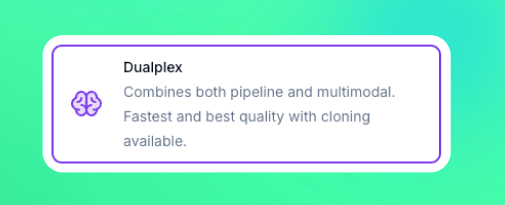 We’re excited to introduce **Dualplex Mode**, our newest and most powerful assistant experience — combining the best of both worlds from **Speech-to-Speech** and **Pipeline** modes.
### What’s new in Dualplex Mode:
* 🎤 **Speech-to-Speech Intelligence** Leverages the advanced **STT + LLM stack** from our Realtime models for natural, fluid conversations with ultra-low latency.
* 🔊 **Premium Voice Output** Uses **ElevenLabs TTS**, bringing high-quality voices and voice cloning capabilities directly into the experience.
* ⚡ **Best of Both Modes** Seamlessly blends the responsiveness of Speech-to-Speech with the flexibility and voice quality of Pipeline.
### Why it matters:
Dualplex gives you the **most realistic AI voice interactions yet**, making conversations smoother, more human-like, and easier to integrate into production environments.
⚠️ **Note:** Dualplex is currently in **beta**. We’re gathering feedback and improving quickly — try it out now and let us know what you think!
### 🗣️ GPT-5 Realtime Speech-to-Speech
We’re excited to introduce **Dualplex Mode**, our newest and most powerful assistant experience — combining the best of both worlds from **Speech-to-Speech** and **Pipeline** modes.
### What’s new in Dualplex Mode:
* 🎤 **Speech-to-Speech Intelligence** Leverages the advanced **STT + LLM stack** from our Realtime models for natural, fluid conversations with ultra-low latency.
* 🔊 **Premium Voice Output** Uses **ElevenLabs TTS**, bringing high-quality voices and voice cloning capabilities directly into the experience.
* ⚡ **Best of Both Modes** Seamlessly blends the responsiveness of Speech-to-Speech with the flexibility and voice quality of Pipeline.
### Why it matters:
Dualplex gives you the **most realistic AI voice interactions yet**, making conversations smoother, more human-like, and easier to integrate into production environments.
⚠️ **Note:** Dualplex is currently in **beta**. We’re gathering feedback and improving quickly — try it out now and let us know what you think!
### 🗣️ GPT-5 Realtime Speech-to-Speech
 We’ve rolled out major improvements to enhance speed and conversation quality across the platform:
* 🗣️ **GPT-5 Realtime in Speech-to-Speech Mode** – Natural, fluid conversations with ultra-low latency for voice interactions.
* ⚡ **GPT-5 Mini & Nano in Pipeline Mode** – Optimized for minimal reasoning effort, delivering faster response times and smoother call flows.
### 🧠 Campaigns just got smarter
We’ve added powerful new controls to help you get more out of your outbound campaigns, avoid wasted calls, and make sure every lead gets the attention it deserves.
Here’s what’s new:
### **1. Campaign Call Status Options**
You now have **three new controls** at the campaign level to fine-tune how your leads are called:
* **Retry until goal completed** *Continue calling until the goal is achieved.* Perfect for situations where a lead answers but doesn’t complete the desired action (e.g., no appointment booked). Calls will continue until the selected **goal variable** is marked as true.
* **Retry on voicemail** *Continue calling until a human answers (skip voicemails).* If a call hits voicemail, the lead won’t be marked as completed — the system will retry until someone picks up.
* **Goal variable** *Variable that must be true to mark lead as completed.* Select from your variables which one determines a “completed” lead. If the variable is false, the lead will be retried instead of being marked as completed.
### **2. Update Lead Data/Status from Automation Platform or API**
You can now **update lead details and statuses directly from your connected automation tools or API calls**.
* Change lead status (e.g., “created” instead of “completed”) dynamically.
* Push updated information into your campaigns without manual edits.
### **3. Ringing Timeout in Assistant Settings**
A new **ringing timeout** option in the Assistant settings lets you control how long to wait for an answer before moving on.
* For outbound campaigns, set it **lower** to avoid voicemail and save agent time.
* For campaigns with slower-answering customers, increase it to give them more time to pick up.
### 🚀 GPT-5 Integration
We’ve rolled out major improvements to enhance speed and conversation quality across the platform:
* 🗣️ **GPT-5 Realtime in Speech-to-Speech Mode** – Natural, fluid conversations with ultra-low latency for voice interactions.
* ⚡ **GPT-5 Mini & Nano in Pipeline Mode** – Optimized for minimal reasoning effort, delivering faster response times and smoother call flows.
### 🧠 Campaigns just got smarter
We’ve added powerful new controls to help you get more out of your outbound campaigns, avoid wasted calls, and make sure every lead gets the attention it deserves.
Here’s what’s new:
### **1. Campaign Call Status Options**
You now have **three new controls** at the campaign level to fine-tune how your leads are called:
* **Retry until goal completed** *Continue calling until the goal is achieved.* Perfect for situations where a lead answers but doesn’t complete the desired action (e.g., no appointment booked). Calls will continue until the selected **goal variable** is marked as true.
* **Retry on voicemail** *Continue calling until a human answers (skip voicemails).* If a call hits voicemail, the lead won’t be marked as completed — the system will retry until someone picks up.
* **Goal variable** *Variable that must be true to mark lead as completed.* Select from your variables which one determines a “completed” lead. If the variable is false, the lead will be retried instead of being marked as completed.
### **2. Update Lead Data/Status from Automation Platform or API**
You can now **update lead details and statuses directly from your connected automation tools or API calls**.
* Change lead status (e.g., “created” instead of “completed”) dynamically.
* Push updated information into your campaigns without manual edits.
### **3. Ringing Timeout in Assistant Settings**
A new **ringing timeout** option in the Assistant settings lets you control how long to wait for an answer before moving on.
* For outbound campaigns, set it **lower** to avoid voicemail and save agent time.
* For campaigns with slower-answering customers, increase it to give them more time to pick up.
### 🚀 GPT-5 Integration
 Experience the most advanced AI yet — faster, smarter, and more accurate responses now power your workflows. New paramters for adjusting reasoning effort will be added shortly. Right now the default value makes it very smart but slow.
### 📞 DTMF Input Tool
Experience the most advanced AI yet — faster, smarter, and more accurate responses now power your workflows. New paramters for adjusting reasoning effort will be added shortly. Right now the default value makes it very smart but slow.
### 📞 DTMF Input Tool
 Easily send keypad inputs during outbound calls, enabling smooth navigation through IVR menus and automated workflows.
### 📋 Leads kanban board
Easily send keypad inputs during outbound calls, enabling smooth navigation through IVR menus and automated workflows.
### 📋 Leads kanban board
 Added **Kanban view** to the Leads section for a more visual workflow. You can now drag and drop leads between stages, quickly update statuses, and track progress at a glance.
### 📚 Knowledgebase search & improved management
Added **Kanban view** to the Leads section for a more visual workflow. You can now drag and drop leads between stages, quickly update statuses, and track progress at a glance.
### 📚 Knowledgebase search & improved management
 Knowledgebases have just been improved. Now you can:
* Search within your knowledgebase documents
* Delete an individual document. This is useful when you want to update a small part of an info without having to replace the whole knowledgebase
* View all the ingested chunks in each document
### 📲 Make phone call action in automation platform
Knowledgebases have just been improved. Now you can:
* Search within your knowledgebase documents
* Delete an individual document. This is useful when you want to update a small part of an info without having to replace the whole knowledgebase
* View all the ingested chunks in each document
### 📲 Make phone call action in automation platform
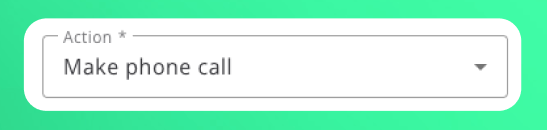 Added a new *“Make Phone Call”* action that instantly dials a single number as soon as the API endpoint is invoked—no campaign setup required. Perfect for one-off or time-critical calls, while campaigns remain the recommended solution for bulk calling lists. You can find this action in the automation platform or API.
### 👥 Secondary contacts on leads
Added a new *“Make Phone Call”* action that instantly dials a single number as soon as the API endpoint is invoked—no campaign setup required. Perfect for one-off or time-critical calls, while campaigns remain the recommended solution for bulk calling lists. You can find this action in the automation platform or API.
### 👥 Secondary contacts on leads
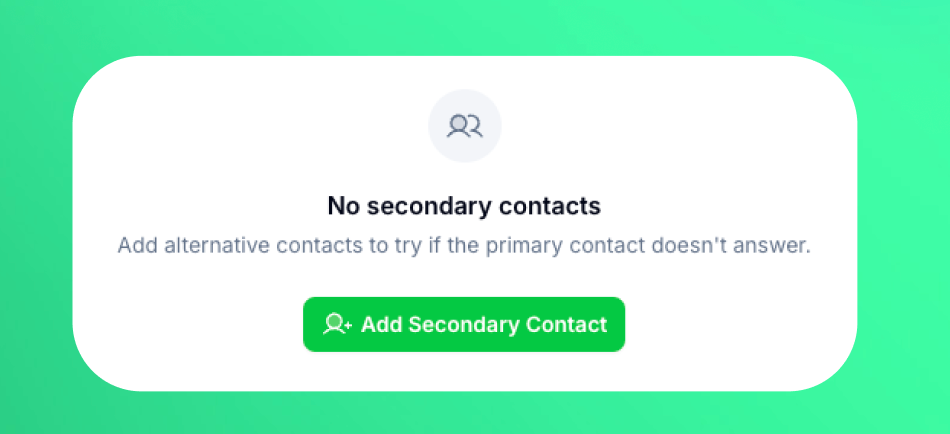 You can now attach multiple backup contacts to every lead. When the primary contact doesn’t answer, calls automatically cascade to the next contact in the list. Add, reorder, or remove secondary contacts from the lead details panel for smoother outreach and higher connect rates.
### 📶 Stable SIP proxy server
Customers that used "Outbound SIP proxy server" for their outbound SIP trunk connections to come from a fixed IP, can now switch to the new stable server which offers better connection and stability as this feature was previously in beta. If you used this feature before the update, you will see a button to migrate to the new server from the SIP trunk interface. *Make sure to allow in your PBX/VoIP provider the new IP which you can find in the same SIP trunk interface dialog from phone numbers page.*
### 🌍 Multi-lingual assistants
You can now attach multiple backup contacts to every lead. When the primary contact doesn’t answer, calls automatically cascade to the next contact in the list. Add, reorder, or remove secondary contacts from the lead details panel for smoother outreach and higher connect rates.
### 📶 Stable SIP proxy server
Customers that used "Outbound SIP proxy server" for their outbound SIP trunk connections to come from a fixed IP, can now switch to the new stable server which offers better connection and stability as this feature was previously in beta. If you used this feature before the update, you will see a button to migrate to the new server from the SIP trunk interface. *Make sure to allow in your PBX/VoIP provider the new IP which you can find in the same SIP trunk interface dialog from phone numbers page.*
### 🌍 Multi-lingual assistants
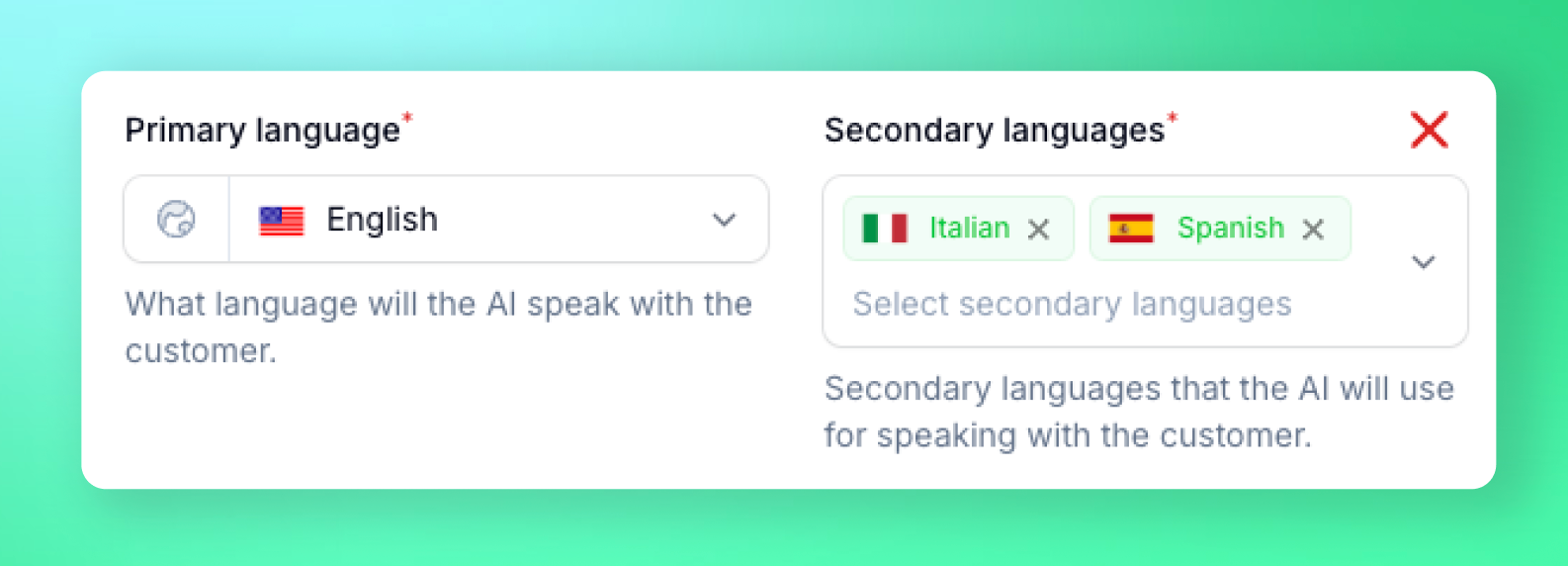 Assistants can now speak multiple languages in the same conversation by setting up "secondary languages" in assistant settings first tab. They can switch language mid-call based on customer needs, providing seamless multilingual support.
### 🌐 Web widget - Voice AI for websites
Assistants can now speak multiple languages in the same conversation by setting up "secondary languages" in assistant settings first tab. They can switch language mid-call based on customer needs, providing seamless multilingual support.
### 🌐 Web widget - Voice AI for websites
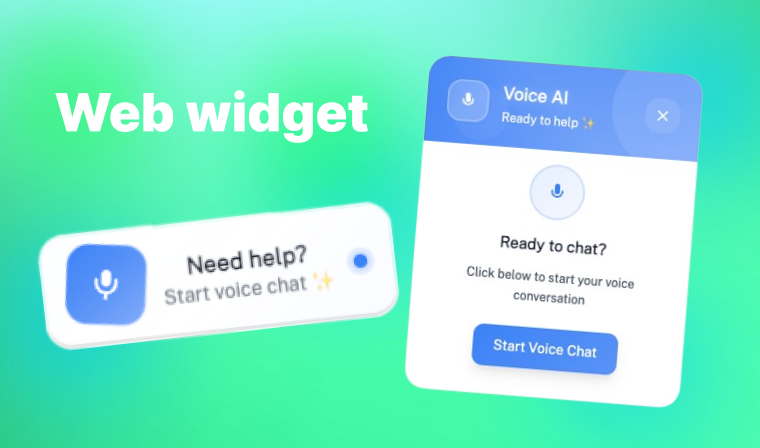 Embed assistants on websites with the voice AI widget similar to chatbots but with voice. You can fully customize the widget appearance from assistant settings from the "Web widget" button: `colors`, `texts`, `positions` and more. Paste the generated script tag snippet on any website page and you're good to go.
### 🌟 Go High Level calendar integration
Embed assistants on websites with the voice AI widget similar to chatbots but with voice. You can fully customize the widget appearance from assistant settings from the "Web widget" button: `colors`, `texts`, `positions` and more. Paste the generated script tag snippet on any website page and you're good to go.
### 🌟 Go High Level calendar integration
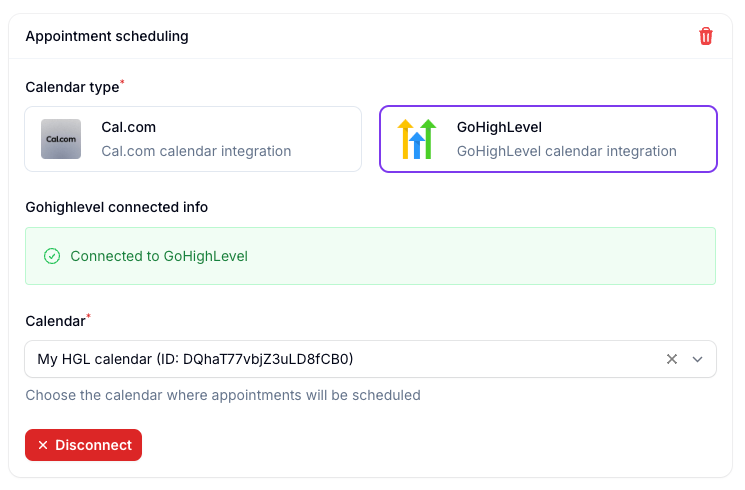 Fetch available slots and book appointments using GoHighLevel calendars
### New Gemini 2.5-flash dialog model *(beta)*
Added newest speech to speech model performing best for quality and latency. Includes 30+ voices and works in multi-lingual as well.
***
## 🖥️ Application
### Interface
* **Added account level timezone setting**
* Added minimum words interruption option in assistant settings
* Added volume slider for background ambiance audio
### White label panel
* Panel redesign
* You can now create custom system prompts on your instance for your users to choose from
* Integrate Google/LinkedIn social providers for login/register
***
## ⚙️ Automation Platform
* **New action: Delete lead** - Delete leads programmatically
* **New action: Start/Stop campaign** - Control campaign status programmatically
* **Improved** - Automation platform loads 10x faster
***
## 🔗 API
* **Delete lead** - New API endpoint to permanently delete leads
* **Start/Stop campaign** - Control campaign status programmatically with new API endpoints
### 🚀 New 2.0 Voice Engine - Speak Like Never Before
Fetch available slots and book appointments using GoHighLevel calendars
### New Gemini 2.5-flash dialog model *(beta)*
Added newest speech to speech model performing best for quality and latency. Includes 30+ voices and works in multi-lingual as well.
***
## 🖥️ Application
### Interface
* **Added account level timezone setting**
* Added minimum words interruption option in assistant settings
* Added volume slider for background ambiance audio
### White label panel
* Panel redesign
* You can now create custom system prompts on your instance for your users to choose from
* Integrate Google/LinkedIn social providers for login/register
***
## ⚙️ Automation Platform
* **New action: Delete lead** - Delete leads programmatically
* **New action: Start/Stop campaign** - Control campaign status programmatically
* **Improved** - Automation platform loads 10x faster
***
## 🔗 API
* **Delete lead** - New API endpoint to permanently delete leads
* **Start/Stop campaign** - Control campaign status programmatically with new API endpoints
### 🚀 New 2.0 Voice Engine - Speak Like Never Before
 The long awaited new engine has been deployed in the platform. It comes with improvements on overall conversation from response times, more emotion, better understanding to improved interruption handling and natural feel.
### ⚡ Real-time Speech-to-Speech Mode
The long awaited new engine has been deployed in the platform. It comes with improvements on overall conversation from response times, more emotion, better understanding to improved interruption handling and natural feel.
### ⚡ Real-time Speech-to-Speech Mode
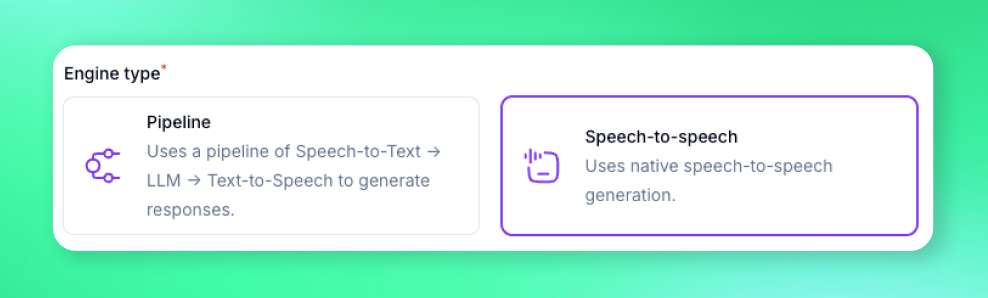 Skip TTS round-trips and give callers instant, more natural replies. Experience unprecedented conversation flow with real-time processing.
### 🎭 Sentiment Aware Filler Audios
Skip TTS round-trips and give callers instant, more natural replies. Experience unprecedented conversation flow with real-time processing.
### 🎭 Sentiment Aware Filler Audios
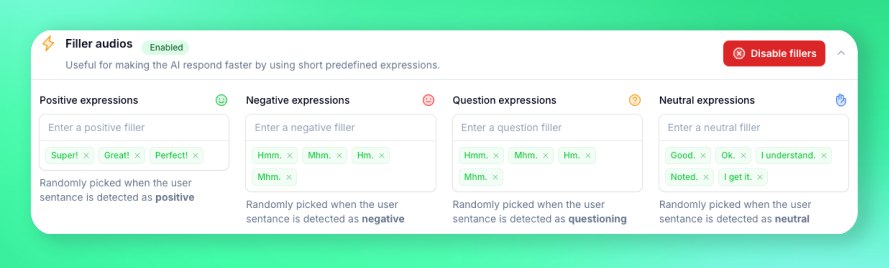 Select different filler audios based on customer reply sentiment for even faster responses. Your AI assistant now adapts its tone and pace based on customer emotions.
***
## 📚 Knowledge Management
### Build a Living Knowledgebase in Minutes
Select different filler audios based on customer reply sentiment for even faster responses. Your AI assistant now adapts its tone and pace based on customer emotions.
***
## 📚 Knowledge Management
### Build a Living Knowledgebase in Minutes
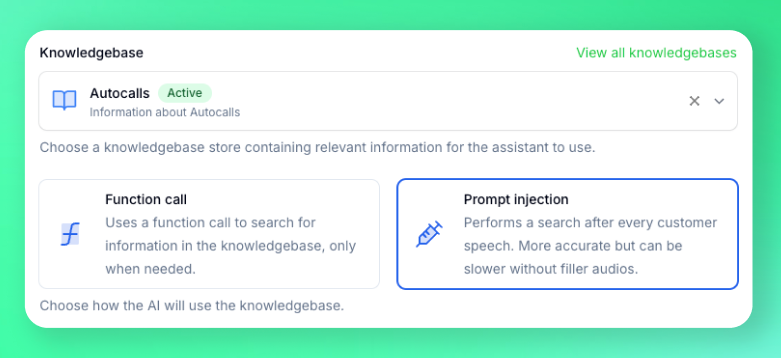
 * **Point-and-scrape any website** — Product docs, help centers, wikis, or Notion pages
* **Drag-and-drop PDFs & files** — We'll ingest the text automatically so your agents can use it in-call
* **Point-and-scrape any website** — Product docs, help centers, wikis, or Notion pages
* **Drag-and-drop PDFs & files** — We'll ingest the text automatically so your agents can use it in-call
 ***
## 🖥️ Application
### Call directly from your browser *(beta)*
***
## 🖥️ Application
### Call directly from your browser *(beta)*
 This feature is present in beta mode and you can test it from assistant settings. It will soon be extended as a widget that can be embedded on websites.
### Multi number call transfer
This feature is present in beta mode and you can test it from assistant settings. It will soon be extended as a widget that can be embedded on websites.
### Multi number call transfer
 You can now route calls to multiple destination phone numbers like different people or departments according to your flow.